Real-time voice translation for streaming, gaming, and meetings
Translate your voice instantly to a broader audience. Works with OBS, Discord, Zoom, and more — connect the world in real time.
Works with
 Discord
 OBS
 Steam
 Zoom
 Google Meet
 Slack
 Teams
Try the live demo
Speak. Hear a translation.
 HaloVoice60-second free trial
You speak
ExampleHi, can you hear me?
Translated voice
ExampleHola, ¿me oyes?
Take your translated voice into your apps
How to connect HaloVoice












Install HaloVoice first. In apps with microphone selection, choose HaloVoice Virtual Microphone. Stream through OBS.
Features
Real-time AI Translation
Instantly translates your voice into multiple languages with low latency, ensuring smooth communication.
real-time voice translatorMulti-Platform Integration
Seamlessly integrates with popular platforms like OBS, Discord, Zoom, Slack, and Teams.
Learn moreCrystal Clear Audio
Advanced noise cancellation and audio processing for pristine sound quality.
voice setup guide
How to connect HaloVoice
- 1
Install for your computer
Windows: install the client. macOS: install the virtual audio driver, then use the web console.
Download - 2
Choose languages and start
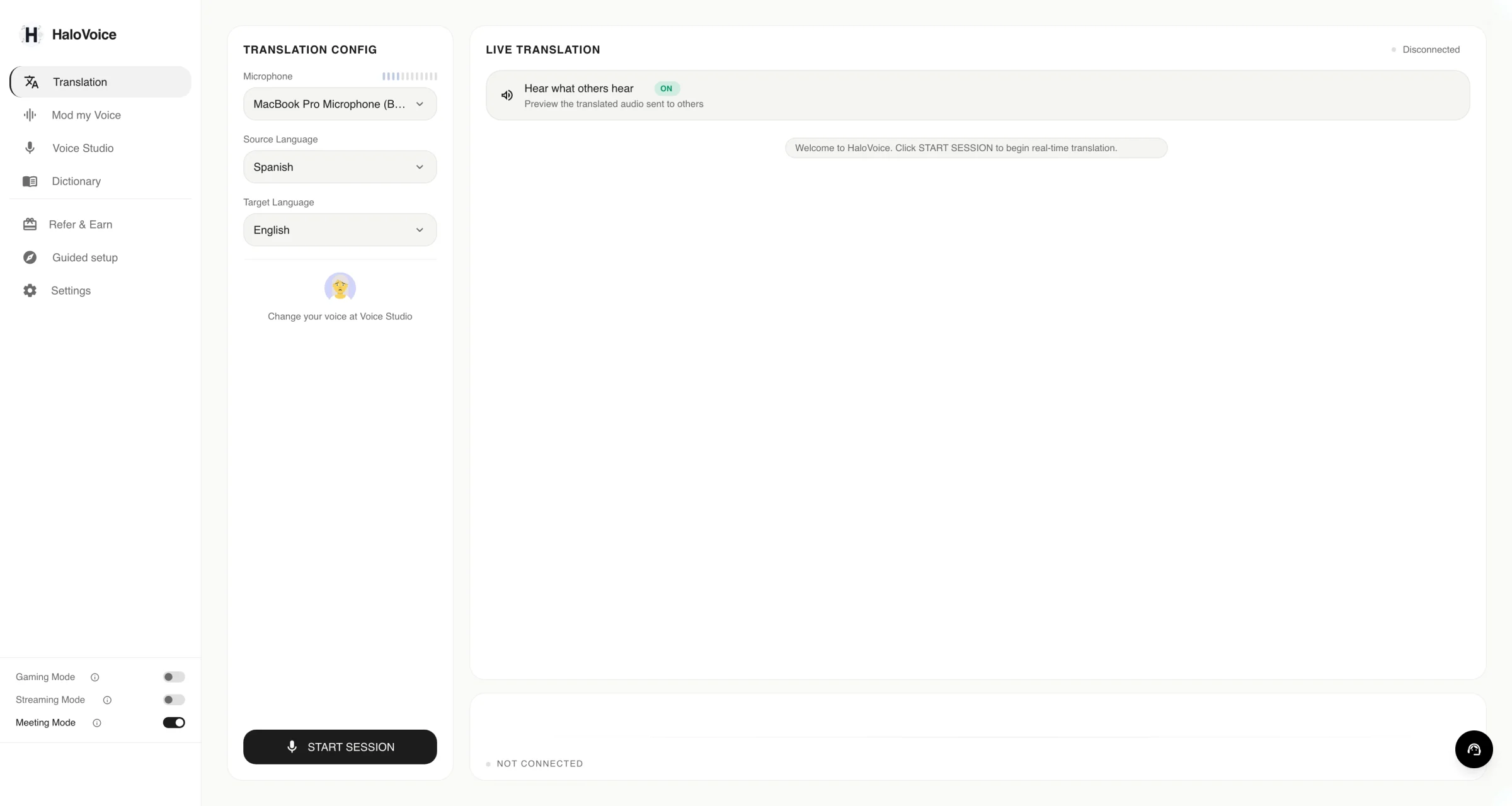
On Windows, open the client. On macOS, open the console. Choose your microphone and languages, then start translating.
Open web app - 3
Connect your call or stream
In Discord (see the Discord voice translator setup), OBS, Zoom, or Teams, choose HaloVoice Virtual Microphone as the input. Your audience hears the translation.
One Tool,
Endless Possibilities
Streaming
Go global on Twitch, YouTube, and TikTok. Real-time captions and voice translation engage viewers from every corner of the world. See how to set up an OBS voice translator for your stream.
Gaming
Coordinate with international teammates in any game. Low-latency translation keeps your comms sharp and your FPS high. See how to use HaloVoice as a gamer language translator in Discord and in-game chat.
Meetings
Conduct professional business meetings on Zoom, Teams, and Google Meet without language barriers holding you back. Follow the setup guide for a Zoom voice translator.
Pricing
Free
Pro
Frequently Asked Questions
Yes! HaloVoice fits right into OBS, Discord, Zoom, Slack, Teams, and most Windows and macOS apps. Simply select "HaloVoice Virtual Microphone" as your input device.
HaloVoice is optimized for low overhead and long sessions, keeping FPS stable. Our AI models run efficiently on your device.
It's designed for low latency - typically under 200ms. Actual delay depends on your device and network conditions.
HaloVoice supports Windows 10/11 and Apple Silicon Macs running macOS 13 or later.
HaloVoice supports over 30 popular languages including English, Spanish, French, German, Japanese, Korean, Mandarin, and more. Choose your source and target in the app.
Still need help?
Reach out and we'll get back to you within 24 hours.
Found a bug or have a feature request? Join our community to get help and share feedback.
Guides for real-time translation, AI voice, and global communication
Practical guides for live voice translation, bilingual subtitles, voice cloning, meeting translation, streaming workflows, and multilingual teams.
Page 1 of 5